I recently created a video tutorial on how to create a facebook Timeline cover photo using Picnik.com. Unfortunately, many of you do not own the Premium version of Picnik and were not able to create your cover photo. No cover photo creators shall be discriminated against! Go ahead and download Picasa and then watch the video to see how you can create your own photo collage.
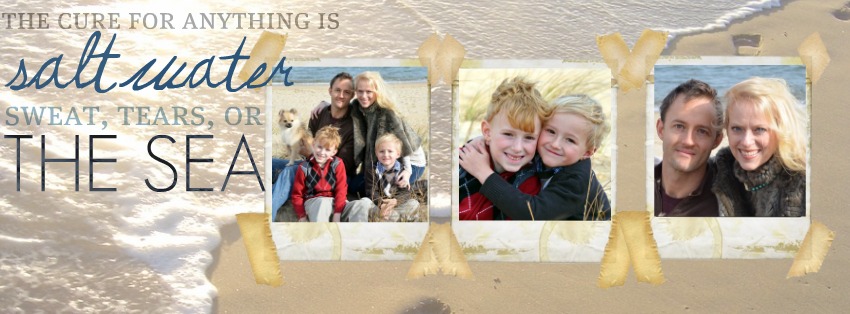
Please click here if the video is not showing for you below. For easier viewing, click on the button on the bottom right hand corner that says “full screen”.
Share this:


Want my decorating tips weekly? Sign up for my newsletter.

Your information will never be shared or sold to a 3rd party.

Thanks. Great tutorial
Thank you so much for this lovely tutorial! You make it look so easy but I never would have figured it out, lol. Blessings!
such a fun thing. thanks for the easy and fun steps
You are AWESOME.
I found a link to this on Pinterest and decided to give it a view since I HATE trying to make cover photos, as they never seem to look right, but this helped out SO much!
I now have an awesome coverphoto for my business and I’m ready to create a personal one now!
Thank you again!
Oh good! I’m so glad you found it helpful!
I really love your whole site! It is so creative and you have such cute ideas! I’m going to try to make one of these today! Thank you!
After checking out some other timeline templates, I noticed they are
851 X 315, I tried this and found the result to be more sharp.
This is great, I agree however, that it turns out a bit blurry… wish it was more crisp since my photos are sharp. Do you suppose FB would have an answer to that?
Great idea – I use Picasa all the time to edit my photos before I upload them to my photo projects (www.MyPhotobookStory.com).
You’re the best! I always share your pinterest tutorial – now I can share this one! 🙂
Thank you so much for this awesome tutorial! Now that fan pages are changing to timeline as well this will come in very handy!
Did it… love it! Who’da thunk this techno-un-savy person could make something so cute?!
Thanks so much. You were really easy for me to understand ..and believe me — that’s almost a miracle in itself, right there!
Keep up the great help!!
GOD BLESS YA!
Awesome tutorial! I just make a timeline collage. Thanks so much!
Thank you! I could not figure out picnik, but this worked great. Yay!
Found this on Pinterest! Just downloaded Picasa tonight and created my Facebook Timeline Cover Photo. Thank you for sharing your tutorial and video!
Thank you so much! I shared this tutorial with all my fb friends. I love your blog and learn so much here!
Hey girl – I made a timeline photo using your tutorial! I blogged about it here – http://ourfifthhouse.blogspot.com/2012/01/totally-awesome-timesuck.html
Thanks for the great tutorial!
Thanks. I was able to follow this tutorial!! Unfortunatley I couldn’t use the collage I made because my profile picture covered up the bottom left of my banner. I will re-arrange the photos tomorrow and then put my customized banner up.
Thanks again, youa re awesome.
Beth, I think I sent you a message earlier, but I wanted to send one again…. Thank YOU for posting these instructions, I have had so much fun playing with Picnik and the new FB profile timelime, you opened up a whole new world for me =))….friends are even asking me to show them and I instead have referred them to your blog because your instructions were that easy!
I am saddened Picnik is shutting down, I am going to try playing around with Picasa but if you find a comparable website, please share. Thanks again, kathy
Thank~you for letting me out of the Box, this tech stuff can be so intimidating, I didn’t know could do this in Picasa!!
THANK YOOOOOU!!!! I have used Picasa for years now, but have never ventured out to see what all it could do! Wow! I gotta get “outta the box” more! 😉 Great tutorial!!!
Great tutorial Beth! I love using Picasa!!! 🙂
Excellent! Thank you! I love Picasa, Have bookmarked this to look at tomorrow when the baby naps!