I wanted to cry. I had only used my expensive Nikon NISB700 SB-700 Speedlight Shoe Mount Flash* a few times since purchasing and now no matter what I tried it just wouldn’t turn on. I had purchased my speedlight a year ago to use as a camera flash indoors when the lighting in my cavelike home refused to cooperate. The few times I used it, I really liked how it brightened my photos without making them look too “flashy” or harsh. But now when I really needed it–on a cold winter’s day–it sat ruined and would not turn on! Sob! I had made the unfortunate mistake of leaving (apparently old) batteries inside the flash and they corroded the metal leaving that awful (and toxic) white powder residue everywhere. It appeared utterly ruined, but was it? Dun–dun-duuuuuuun…
The interior of the battery compartment was in pretty bad shape, but I decided to see if it was salvageable. Besides, I figured I had nothing to lose. I googled “speedlight battery corrosion” and found a thread in a photo forum that recommended using baking soda to remove the corrosion which just didn’t sound right to me for alkaline batteries. All that white powder is a base so I’d need an acid to remove it. Eureka! I then remembered some simple science and thought VINEGAR!!! Note that this method works only for alkaline batteries. Try at your own risk. Here is what I did:
How to Save Electronics Damaged by Batteries
Materials Needed:
- Safety items (rubber gloves, mask, eye protection)
- Cotton swaps
- White vinegar
- Pencil eraser
Step 1: With rubber gloves on, remove batteries from device.
Carefully remove the leaking batteries and dispose of them according to your local regulations. The white powder in alkaline batteries is potassium hydroxide which can irritate your skin and eyes so be sure to wear gloves and goggles before touching the batteries. To play it safe, working in a well ventilated area or wear a respirator as well. Safety first. 🙂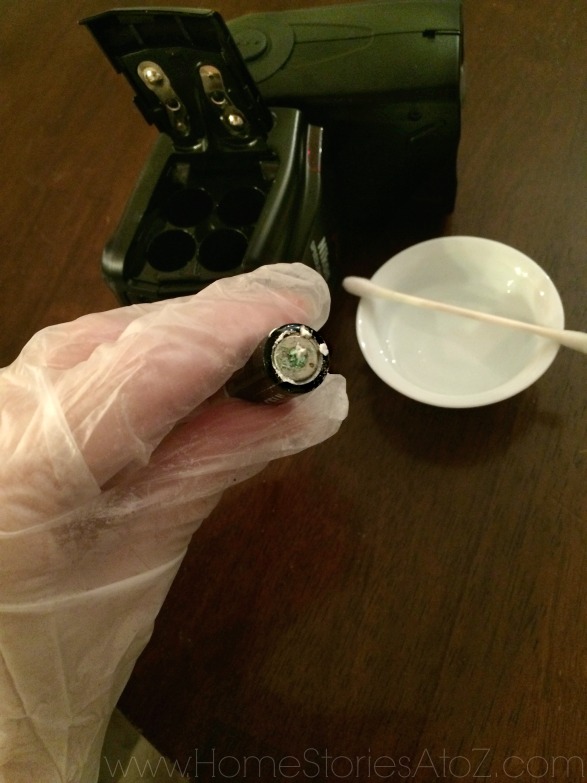
Step 2: Dip Cotton swab (or toothbrush) in vinegar and blot off excess.
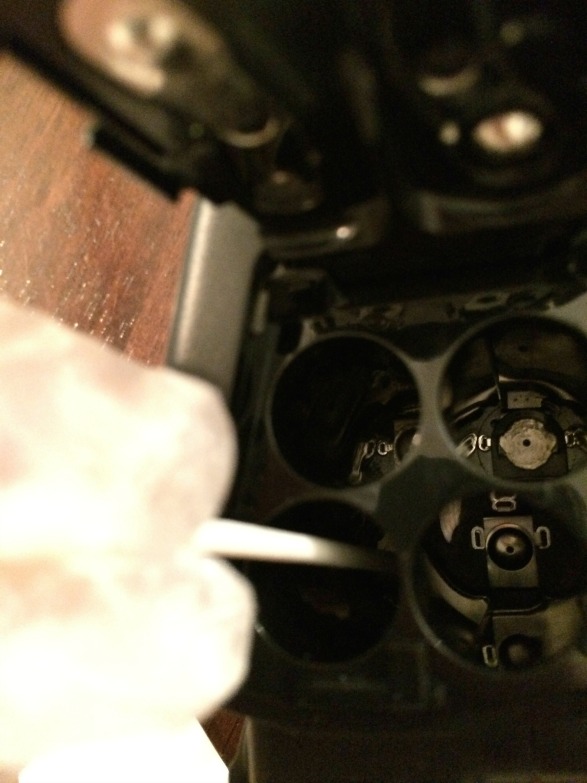
The corroded area of my device was difficult to access, so a cotton swap was my tool of choice. If you have better access to the damaged areas, you can use a damp toothbrush. Simply dip your tool in vinegar, blot off the excess liquid (you don’t want any drips), and gently scrub the corroded areas. Repeat this process until the corrosion is gone. You can see in the picture below that I wasn’t able to remove all of the corrosion. Just do your best.
Step 3: Use a pencil eraser to remove corrosion.
When we used to have cordless phones in our home, I remember needing to clean the rechargeable base of the phone with a pencil eraser. I tied this techinque on the cap of the battery compartment and it worked well.
Step 4: Place new batteries correctly into device and turn on!
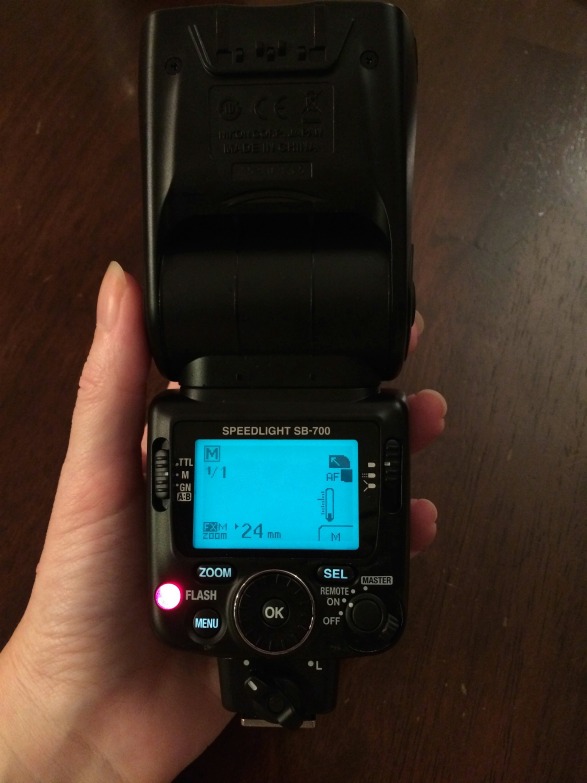
If your device wasn’t too damaged by alkaline battery corrosion, then this method should work for you too. I am so glad I tried this! It saved me $335. Let me know if it works for you.




Thanks so much for making this post. Just saved €100 on a par if battery operated industrial ear protectors that had corrosion inside.
Omg it worked for me. Thank you so much. I almost cried. Thanks for saving me 300 bucks.
Leaked alkaline battery in my expensive Sony shortwave radio looked hopeless. But with a little time and a lot of care the alkaline salts were removed without spreading these caustic salts into the circuit board. I used some baking soda dissolved in distilled water to remove any acid residues from the battery compartment and battery contacts. The flat metal battery contacts were in good and some corrosion on the spring contact. The springs were fairly accessible after I removed the radio case so I used an emery board to clean these contacts instead of eraser. The pencil eraser is good when the contacts are hard to reach. The radio which costs over $200 today works fine now.
Didn’t expect this to work, but it did ! I used it on some remote battery operated candles that the batteries had gone bad in. Not so much the white corrosion, but the batteries had leaked. Thanks for sharing..
Glad it worked for you!
I knew about this method but it didn’t work for me. My night vision camera was ruined.
Sorry to hear that it didn’t work for you. 🙁
This totally works! Save me from having to buy a new keyboard. Thank you!!
This is an awesome fix. Thank you so much
THANK YOU BETH
You saved me , in total, about $600 bucks !
($335 -Nikon Flash SB-700,
$305- Bose QuietComfort 15 headphones )
I had lost all hope for my electronic gadgets that were damaged by battery leakage , stored in the basement for over a year. I too could not put myself through dumping them in the garbage as I had paid a few bucks for them, to say the least.
After carefully following your advice and giving it a try , I couldn’t believe my eyes . The headphones worked and then I tried the Nikon flash . Wow !
Amazing, like magic. Thank you for sharing and posting your story. You made my day Beth- thank you.
I’m so glad I was able to help! Thanks for letting me know that you tried my tip and that it worked for you. 🙂
Wow! Thank you. I have a flash that has been sitting for a year because I couldn’t bring myself to throw it away. This totally worked!
I’m so glad it worked for you too!
I Googled the keywords “damaged electronics battery acid” in true desperation, and this article came up. I cannot thank this article enough. My Magic Mouse started working normally again.
I’m so glad it worked for you!
THANK YOU for this post!!! I just opened up my SB700 today to get it ready for a wedding I’m photographing and found the same problem. Your tip did the trick! Thanks!
You are so welcome! I’m glad it worked for you!
There’s so much to learn from this article. Many thanks for sharing an informative blog.
I love this tip! You should add a link here to one of your other (lots-of-money-saving) tips to repair scratched DVDs. That post has helped so much!
Good idea! I’ve added it. 🙂
I hope I never have to try this, but I am pinning it just in case! It’s worth a shot if you’re going to have to toss something expensive. It’s a great tip!
This is a great tip! Your high school chemistry teacher would be so proud, right?
I’ve pinned this, but wanted to say that this post got me to thinking. . . in our society obsessed with disposable products, I wonder how much we waste without every trying to fix things? Love your “What do I have to lose?” attitude!
So, so true! But in all honesty if this item hadn’t cost me over $300 I probably would have been more tempted to dispose of it. I really thought it was a goner. Thanks so much for visiting and pinning!
Testing comment form email. This is a test. Ignore. 🙂